Où acheter
Besoin d'un conseil? Nos revendeurs hautement qualifiés seront heureux de répondre à toutes vos questions.
Trouver un revendeur près de chez vous
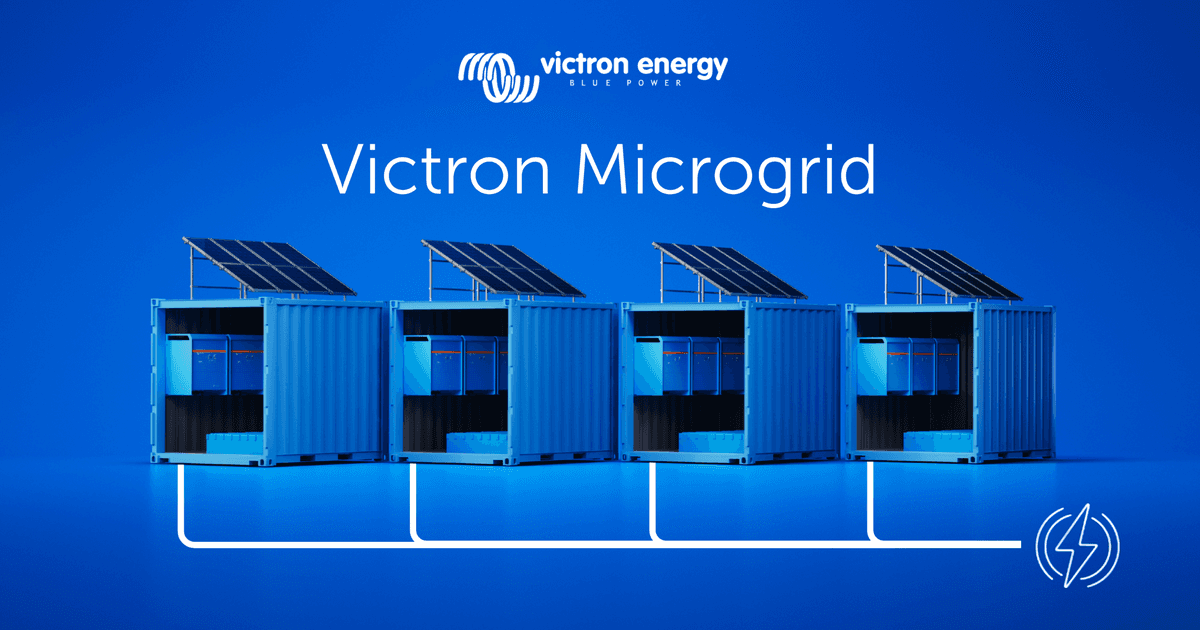
Introducing Victron Microgrid
A modular approach to large, flexible off-grid power systems
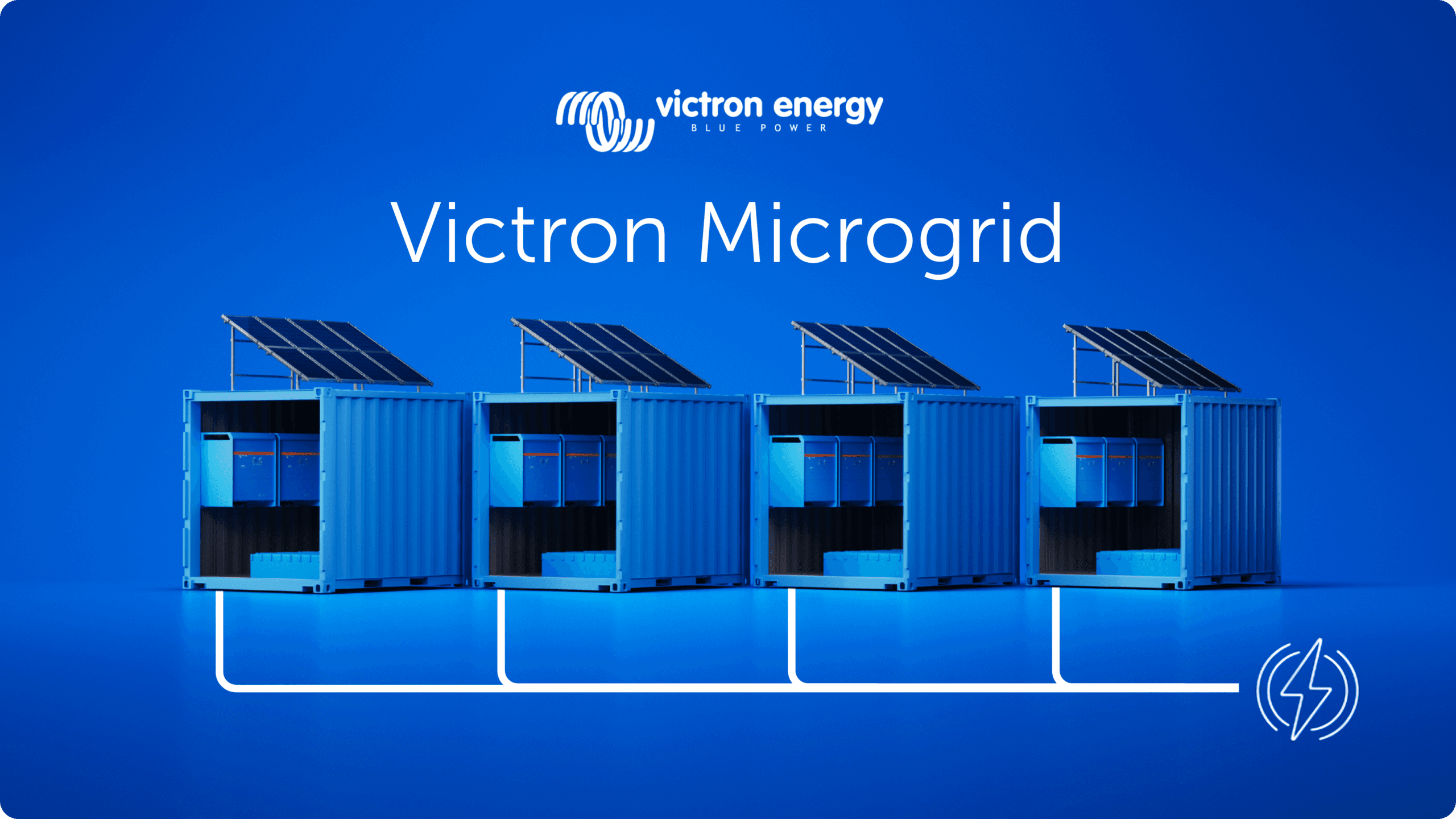
What if you could build large off-grid systems with the same simplicity as small ones – just by adding more independent units, increasing reliability, and scaling total capacity as you grow?
Large off-grid systems have traditionally been complex to build and difficult to change; Victron Microgrid takes a different approach.
Victron Microgrid allows multiple independent Victron inverter/charger systems, named “Power Banks” to operate in parallel on a shared AC bus – even when Power Bank sizes vary – forming high-power off-grid systems that automatically share the load.
Each Power Bank is a complete, independent Victron installation with its own inverter/chargers, batteries and monitoring. No central controller, and no data communication wiring between units. If you need more power you can just add another Power Bank, and scale the system – up to 400 kW.

Multiple Power Banks on a shared AC bus let you build off-grid systems much larger than a single VE.Bus system, without the complexity and risk of one big centralised inverter installation.
Each Power Bank operates on its own. If one is taken offline for service or develops a fault, the rest continue supplying the AC bus uninterrupted. Removing any single point of failure.
Connect more Power Banks to the Microgrid as demand grows. Disconnect them when demand drops or maintenance is needed. No reprogramming required, and the AC bus stays live to loads the whole time.
No new hardware. Victron Microgrid uses the same inverter/chargers, batteries, charge controllers and GX devices that installers already work with. Each Power Bank is monitored through its own GX device and VRM.
Perfect for rental: containerised Power Banks can go from one project to the next. When a job is done, the same hardware returns to the depot and goes out again ready to join another Microgrid. A standard, efficient container build can be used to satisfy a broad range of applications by simply joining them together via AC wiring on site.

Because each Power Bank is self-contained, Victron Microgrid works well on sites where demand changes over time and equipment may need to move between projects.
Rental operators can treat Power Banks as modular fleet assets. Instead of maintaining many fixed-capacity systems for different jobs, stock standardised Power Banks and combine them to match each contract. A smaller deployment might use two Power Banks; a larger job may need six or more. When a contract ends, the same units return to the depot and go out again in a different combination. Power Banks can be grouped together as a Microgrid in VRM to provide remote monitoring, alarms and visibility across active sites.
Construction sites often have a stable base-load with temporary spikes in demand. Site offices, lighting and tools may run for months at one level, then a crane, welding gear or other heavy equipment drives consumption up.
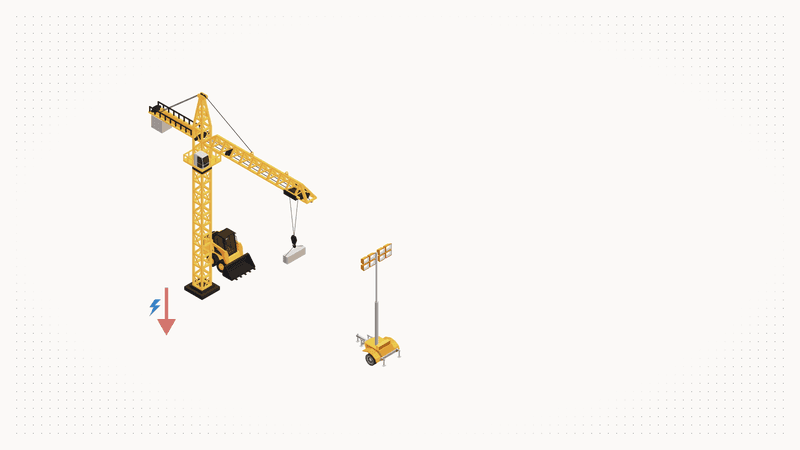
Extra Power Banks can be brought to site, connected to the AC bus for the peak period, and removed when it’s over. Match capacity to the actual stage of the project and reduce dependence on generator runtime where silent, battery-based power is preferred or required.
Demand profiles shift across bump-in, live operation and bump-out. Peak power may only be needed for part of the schedule, but reliable supply is needed throughout. Deploy more Power Banks for peak periods, fewer for quieter ones with no need to redesign the system. If the programme changes, add capacity quickly by connecting another Power Bank to the AC bus. And if one unit has an issue, the rest keep running.
Victron Microgrid is also a practical way to upgrade an existing Victron off-grid installation. Instead of pulling a working system apart to make it bigger, install a second Power Bank alongside it and connect both to the same AC bus. The original system stays as it is and just becomes one of the Power Banks in the Microgrid. This is useful for containerised or remote installations where reworking what’s already there would be disruptive. Each Power Bank manages its own charging, so the new unit needs its own charging sources such as additional solar, a DC generator connection, or other DC charging.
A Power Bank is a complete Victron off-grid system: one or more VE.Bus inverter/chargers, a battery bank, DC distribution, DC charging sources, and a GX device for monitoring. In a Victron Microgrid, multiple Power Banks connect to a shared AC bus and work together as one large power system.

Load sharing between units happens automatically via AC voltage and frequency, without the need for a central controller, communication between power banks or complex configurations. This decentralised approach keeps the system simple and reliable. Three-phase and split-phase configurations are supported as well.
Decentralised DC charging is what makes this controller-less approach work. Each Power Bank manages its own state of charge using its own charging sources. Victron supports a range of charging options:
Victron Microgrid is available via a dedicated VE.Bus firmware for MultiPlus, MultiPlus-II, Quattro and Quattro-II. Walk through the concept, configuration and commissioning with these training videos:
The Technical manual covers installation and configuration in detail. See this Slide deck for a more visual overview. Contact a Victron distributor to discuss whether Victron Microgrid fits your application.
Justin Tyers • 13 March 2026
Thousands watching solo sailor
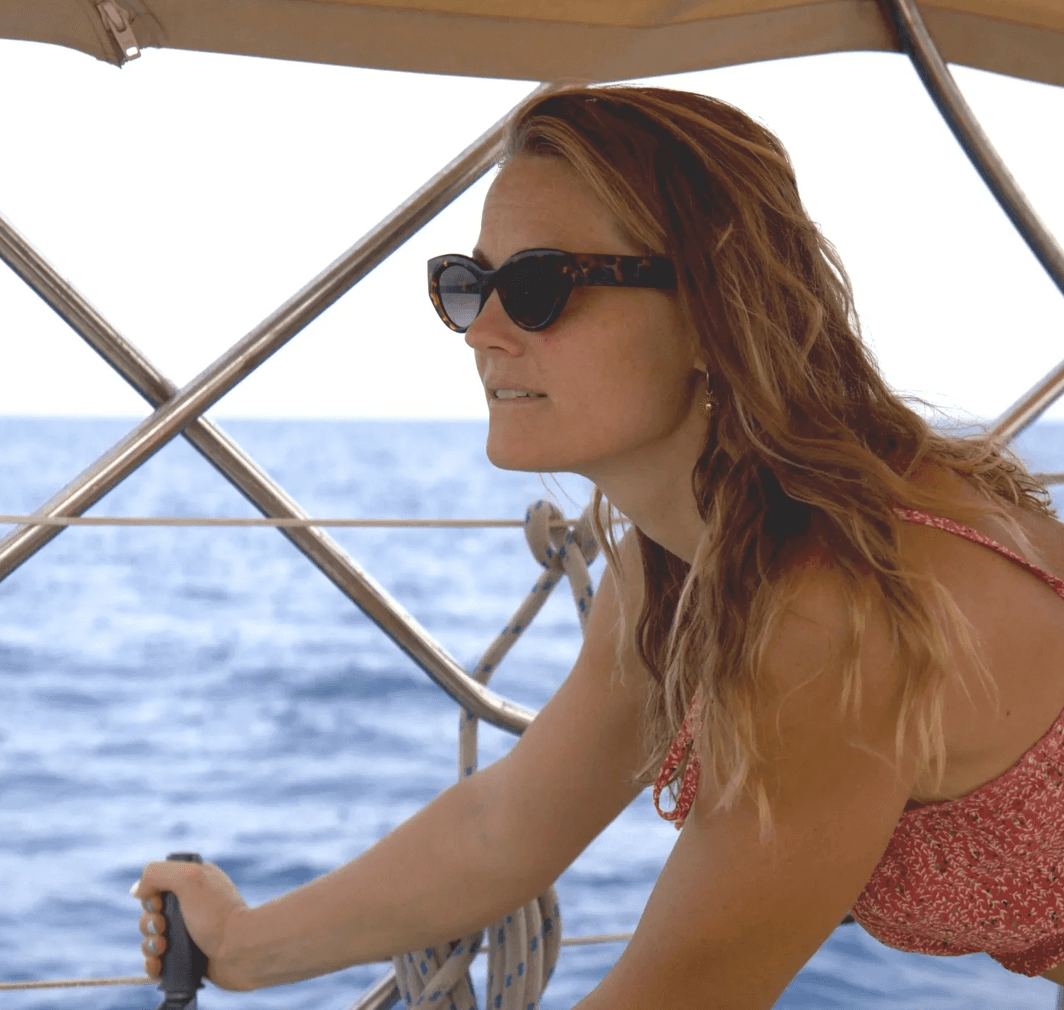
If you don’t easily get sea sick why not join Norwegian Helga Marie Løvenskiold Kveseth – who goes by the name Mara – on her LIVEstream as she crosses the Atlantic? Already having 25,000 miles under her keel, Mara is sailing her Saltram Saga 36ft double-ender called Showgirl to St Martin in the Caribbean in order to qualify for the Golden Globe Race 2026. The Golden Globe is an epic yacht race – more than twenty participants are expected to cross the start line later this year on September 6th to sail singlehanded around the world using only the equipment which was available to circumnavigators sixty years ago. Using a sextant to make celestial observations, and plotting their position on paper charts, skippers spend nine months at sea crossing world’s remotest oceans in their grandest moods. It’s not for the feint hearted. For her qualifying passage Mara’s boat is equipped with the latest technology in order to bring us closer to the experience of sailing alone. Her 24 hour live stream via Starlink router, together with other domestic conveniences, uses a lot of power, The original electrical system onboard was unable to support the planned loads so she enlisted the help of Sea & Land Yacht Works to do a power audit of all her domestic and navigation devices and provide a system which could support the ambition. Sea & Land Yacht Works is a marine service provider based in Rhode Island U.S. specializing in marine electronics, electrical and marine systems. Interestingly, they offer their technical service all round the world by contracting qualified installers to build systems from their drawings, using specifications which meet ABYC certification standards. Company founder Michael Garretson is an AYBC Master Technician and also a Mechanical Engineer. Working from his drawings installer Electrical Marine Services Gibralter built Showgirl’s power system in Gibralter just before Mara set off on her solo transatlantic passage. Power Assumptions The power audit for Showgirl’s electronic devices suggested a daily power consumption of 492Ah Equipment Load Fridge 60 NAV Instrument 45 Starlink 240 Rasberry pi 28 Camera 47 dgi 16.3 random cameras 7.5 VHF 12 Lighting 15 Phone charging 2 handheld 0 Watermaker 19 Total: 491.8 In order to provide that power three power generation sources were installed: Showgirl’s four solar panels of 100Wp each would typically provide 116Ah per day . The solar harvest is controlled by two MPPT solar charge controllers of 100/30 and 75/10 to charge a 12V lithium battery bank of 960Ah. As the vessel sails a Watt&Sea Hydrogenerator 600 produces power. Assuming an average speed of 4.5knts, that model will produce 157Ah per day There’s a 275A alternator on board controlled by Arco Zeus 275L alternator regulator to maximise the power harvest. Running the engine at 1500rpm for an hour is likely to produce 230Ah . Total daily production from power generation is 503Ah . Power consumption and harvest is monitored by a number of BMV battery monitor across the MPPT solar chargers, alternator output, Watt & Sea hydrogenerator output, and the lithium battery bank loads. There is an Orion DC to DC charger to manage battery charging for Showgirl’s dual battery systems – engine starting and domestic use. A MultiPlus 12/1600/70 Inverter/Charger provides AC power. A Cerbo GX communication centre harmonises all Victron and third-party devices and makes real time data monitoring and programming available from anywhere in the world via the Starlink satellite router. The same information is just a fingertip away on board via the GX Touch 50 user interface. Showgirl is a little more than halfway across the Atlantic at the time of writing. Once she arrives, Sea and Land Yacht Works plan to install more custom solar panels and additional electrical work before she recrosses the Atlantic a few months later – live streaming again – in preparation for her Golden Globe Race participation. You can ask Mara a question via the live chat function of her LIVEstream. She typically makes time to answer questions on camera after sunset each day – her time. She says she’s going to miss all the live chat on her Golden Globe Race! Let’s see how she’s getting on: If you’re already in the Caribbean on board a boat – and particularly if you want to find out more about reliable power or workshop a power problem – take a look at our recent story here.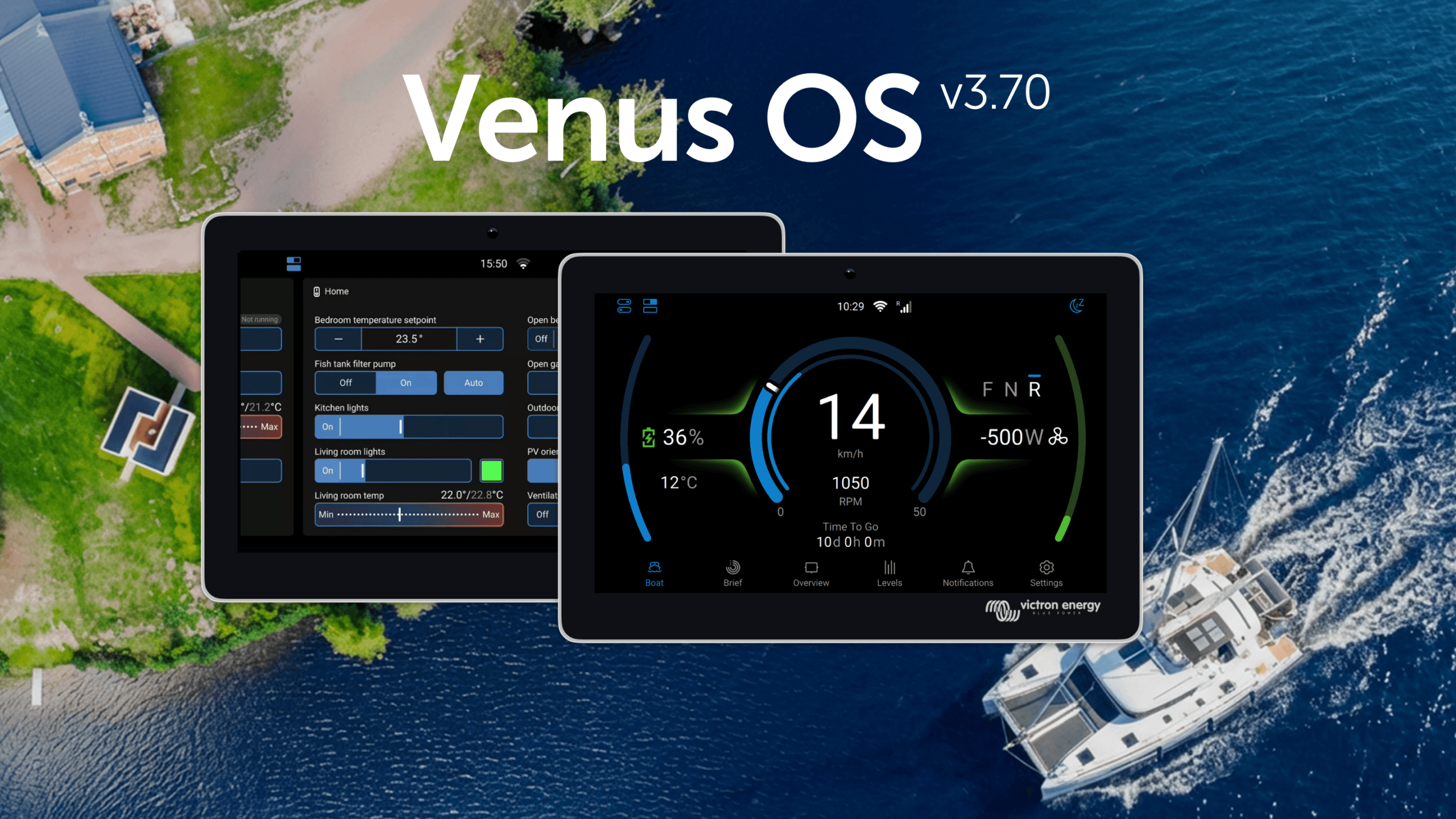
Matthijs Vader • 25 February 2026
Introducing Venus OS 3.70
Victron GX device firmware v3.70 is now available. This release brings a greatly expanded switch pane with Node-RED virtual switches, improvements to GX Boat Page and E-drive integrations, cell level monitoring for Lynx Smart BMS NG, Garmin EmpirBus digital switching, Shelly smart device integration, and much more. The switch pane gets even better The switch pane was introduced in Venus OS v3.60 with support for the Energy Solutions SmartSwitch . In v3.70, it’s grown to become a central point for an entire digital control system. GX relays join the switch pane. The built-in relays on the GX device can now be controlled from the switch pane. Set a relay’s function to Manual under Settings → Integrations → Relays, and it appears as a controllable output. Node-RED virtual switches and supported 3rd party digital switches (such as Garmin, Shelly & Safiery) now also appear in the switch pane, enabling customisable controls. Marine MFD App now includes switch pane support. GX relays, digital switches, and Node-RED virtual switches can be viewed and controlled directly from an MFD display. GX Boat Page: Various enhancements and new CANopen integration Venus OS v3.70 introduces new CANopen profiles, expanding integration options for electric propulsion systems, including Sevcon and Curtis motor controllers. This CANopen integration path is an addition to the already existing NMEA2000 integration. Together, these options enable electric propulsion monitoring on the GX device for an even wider range of setups, displaying motor RPM, power, current, temperature, and direction. Enhancements for the GX Boat Page apply to both CANopen and NMEA2000 integrations and include: Support for dual motor setups Visualisation of regeneration Smoother RPM gauge animations Option to adjust for inverted motor direction To learn all features and details about E-Drive integration and the GX Boat Page, see this slide deck. Lynx Smart BMS NG individual battery and cell monitoring Detailed information about each specific battery connected to a Lynx Smart BMS NG, including individual cell voltages, and cell temperatures for each battery can now been seen on the GX. Node-RED: virtual switches and smarter workflows Building on the virtual devices introduced in v3.60, Node-RED now offers a powerful set of virtual switch types. These create interactive controls in the switch pane that can be linked to any automation logic in Node-RED flows. This bridges Node-RED programming and the normal GX user interface. A significant workflow improvement is the ability to set multiple properties of a virtual device in a single message , reducing both CPU usage and flow complexity. Where previously you might have needed four or five separate inject nodes to configure a virtual device, it can now be done with one. Input nodes have a new feature called “ conditional evaluation ” which is useful for triggering actions when values cross thresholds (e.g., “battery SOC below 20%“). Victron nodes configured to evaluate conditions can now output TRUE/FALSE on a second output, including combining two conditions (eg. SOC% and PV power) with AND/OR logic. A brief snippet of documentation has been added to each Victron node to make it quicker and easier to understand how to use them. Garmin EmpirBus digital switching A welcome addition for RV builders, boatbuilders, and OEMs, Garmin EmpirBus digital switching is now supported in the switch pane on both the GX display, and via remote console on VRM. New features also improve integration with Garmin and other NMEA 2000-equipped marine displays. Alarms from the GX device are now transmitted onto the NMEA 2000 network . Garmin MFDs will visualise these alerts, giving crew immediate awareness of system warnings from the helm. Allow for Internet access. In systems where the GX device is connected to a Garmin system using ethernet, and then want to use WiFi for internet, it is now possible to select which network interface is internet enabled. Shelly integration Venus OS now natively supports Shelly Gen2 (and newer) smart switches, energy meters and RGB light controllers. This brings better integration for the affordable and widely available range of Shelly smart home hardware to the Victron ecosystem. These are useful for controlling and monitoring AC loads such as water heaters, pool pumps, or lighting circuits. Shelly devices on the same network are discovered automatically, though disabled by default. Once enabled in the Settings -> Integrations menu, Shelly devices appear in the switch pane. Supported device types include on/off switches, dimmable outputs with slider control, and energy meters. It’s also possible to set the RGB controller color in the UI using presets. Safiery STAR Digital Switching Integration Venus OS now includes support for the Safiery STAR-Power, STAR-Light, and STAR-Rover digital switching controllers. Connected via VE.Can, they offer control of 12V or 24V switching circuits directly from the GX switch pane. New sensor and device support Several new device integrations round out this release: Gobius tank sensors are now supported via Bluetooth, as well as Ruuvi Air sensors. Pylontech batteries can now have their firmware updated remotely through the VRM Portal. A significant timesaver for installers with large system fleets connected via VRM. Navigate to the Device List on VRM, where updateable Pylontech batteries will be discovered. You’ll need to obtain Pylontech firmware files, and advice for when updates are needed from Pylontech battery dealers as VRM does not host these files. SSS batteries have passed Victron BMS-Can compliance testing and are now supported. Orion XS is now supported for NMEA 2000-out. Tank sensor improvements include tank shape configuration and high/low alarm settings for Mopeka wireless sensors, as well as improved multi-device tank level handling for MFD displays over VE.Can. New UI improvements The New UI received many refinements: A new Watts/Amps display preference called “Mixed” shows AC values in Watts and DC values in Amps. An option to disable all animations can save up to 40% CPU on a Cerbo GX, making the interface noticeably more responsive. Keyboard navigation has been added throughout the interface. Portuguese and Afrikaans have been added as new language options. Notification handling has been improved across the board. Alarm silencing is clearer, and the overall experience is more intuitive. The phase rotation alarm can now be enabled or disabled from the settings. Fixes and improvements This release includes important fixes across several areas: Dynamic ESS: Fixed precision issues arising from the change to 15-minute windows, particularly for systems with decimal SOC values. Also fixed false battery discharge during scheduled charging with grid-to-battery restrictions, and a bug with negative grid set-points. DVCC: Fixed charge current division between Multi-RS and external solar chargers in systems with PV inverters. Fixed CCL not being applied after turning a Multi off and back on. Added limited CCL control for a second VE.Bus system via MK3-USB. Peak shaving: Fixed bugs where peak shaving was insufficient under some conditions, when Self-consumption from battery was set to “Only critical loads”. PV Inverters: Fixed Enphase limiting issues, and SolarEdge limiter setup repeating on reconnections Security: Brute force protection has been added to MQTT and HTTP(S) login. A new read-only mode for Modbus-TCP provides a more secure option. Raspberry Pi: Raspberry Pi 5 is now supported and includes the new UI. Please note: The New UI cannot render portrait orientation yet. Use the Classic UI if you have the Raspberry Pi Touch Display 2, or other portrait display. Before you go You can find the full list of changes in the changelog here . Information on how to install the firmware is available in the GX Device manual. A quick link to the relevant page can be found here . And as always, a huge thank you to our community for their invaluable help in testing and preparing this release. The detailed bug reports and feedback from the beta testing period have made v3.70 possible.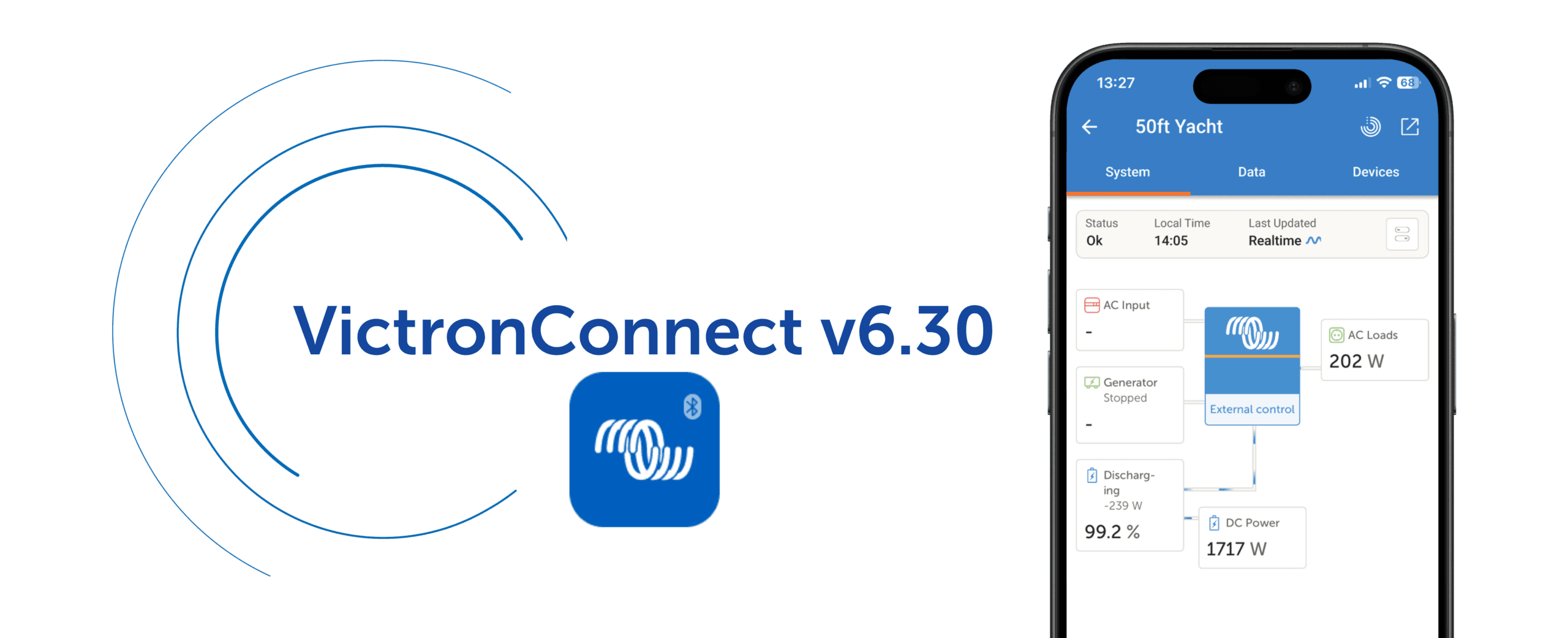
Beril Berkem • 23 February 2026
VictronConnect App v6.30
VictronConnect app v6.30 brings a range of new features designed to make system monitoring and management easier for both professionals and end-users. These include VRM integration, new tools for system monitoring, more insight during firmware updates, and a Batch Programming feature aimed at simplifying work for professionals. In the next sections, we take a closer look at what’s new in VictronConnect v6.30. VRM integration The VictronConnect app has been the go-to app for direct access to Victron products and system monitoring, allowing configuration, firmware updates, and real-time monitoring via Bluetooth with quick access from your phone. The VRM Portal , on the other hand, gives full remote system monitoring from anywhere in the world with internet connection, providing full system overview, detailed performance analysis, remote support, and tools for fleet and multi-system management. VictronConnect v6.30 brings these two worlds closer together. VRM dashboard access is now built directly into the VictronConnect app. Previously, when accessing a system remotely via the VRM tab, the app redirected you to the VRM Portal for full system information. You can now see the system dashboard directly in VictronConnect, including control switching, overview data, and Dynamic ESS information such as costings and schedules, making it easier to understand what is happening across your system from one place. VictronConnect on Android Auto If your vehicle supports Android Auto, you can now view key system information directly on your car’s display while driving through the VictronConnect app on your phone. After updating to VictronConnect v6.30, a VictronConnect icon will automatically appear in Android Auto once a phone is connected. The feature uses Bluetooth Instant Readout and requires no additional configuration or GX device. If Instant Readout data is available for a product in the VictronConnect app (for example, the Smart range), it will also be shown in Android Auto, creating a simple plug-and-play experience. This makes it easy to monitor system status safely while driving, especially in campervans, motorhomes, and professional vehicles. Android widgets and notifications Android users can place widgets on their phone home screen to quickly see important system information without opening the app. It is also now possible to enable notifications so your phone alerts you if something needs attention, giving you peace of mind that your system is running as expected without needing to constantly check it. Notifications and Widgets use Bluetooth Instant Readout and work when your phone is within range of supported products. Improved Trends Trends data is now clearer and more detailed, making it easier to see how your system has been performing over time. Updated graphs are easier to read and interpret, while also giving access to deeper system information, helping build a clearer picture of energy production, consumption, and battery behaviour. Trends data is now also included when exporting product settings, making it easier to keep records or share data for support or analysis. This feature is available for all products that support stored Trends. Smarter firmware updates With VictronConnect v6.30, firmware updates now show release notes directly in the update screen, making it easier to see what has changed before updating. The release notes remain visible during the update process, giving clearer insight into each firmware version. The built-in firmware library can now also update itself automatically when an internet connection is available, keeping the latest firmware versions ready even between app updates. Firmware updates can still be carried out without an internet connection, just like before. Batch programming And finally, a feature many installers will appreciate: Batch Programming. You can now apply setting files and firmware updates across multiple devices at the same time. The feature supports both VE.Direct (wired) and Smart (Bluetooth) products, making it easier to manage mixed systems. The short video below gives a quick overview of how it works. Wrapping up VictronConnect v6.30 makes it easier to stay connected to your system, whether you are standing next to it, travelling, or checking it remotely. By bringing VictronConnect and VRM closer together, and adding practical tools for daily use, this update helps make system monitoring, control, and maintenance simpler for everyone using Victron systems. We hope you enjoy using these new features. Your feedback helps shape future updates, so feel free to share your experience or suggestions in the Victron Community .Besoin d'un conseil? Nos revendeurs hautement qualifiés seront heureux de répondre à toutes vos questions.
Trouver un revendeur près de chez vous
Consultez nos documents de support ou contactez le revendeur original pour une assistance dédiée, une réparation ou une demande de garantie.
Assistance
En savoir plus sur notre garantie standard de 5 ans, leader du secteur, et notre service de réparation mondial.
Garantie

©Victron Energy 2026